Share group booking links
Send the guest booking link, manage access, and help the main contact follow pickup.
Share group booking links
A group booking has two private links. Send each link only to the people who need it.
- The Guest booking link lets invitees choose a held room and begin checkout.
- The Contact management link lets the main contact track pickup, view the informational coverage report, and share the guest link.
Share the guest booking link
- Open the group booking page.
- Find Guest booking link.
- Select Copy link and paste it into your message to invitees.
- If the main contact has an email address, you can select Email guest booking link to open a prepared email.
A guest who opens the link can see only rooms still held for the group. They select Book this room, then complete the normal checkout flow with their contact and payment information.
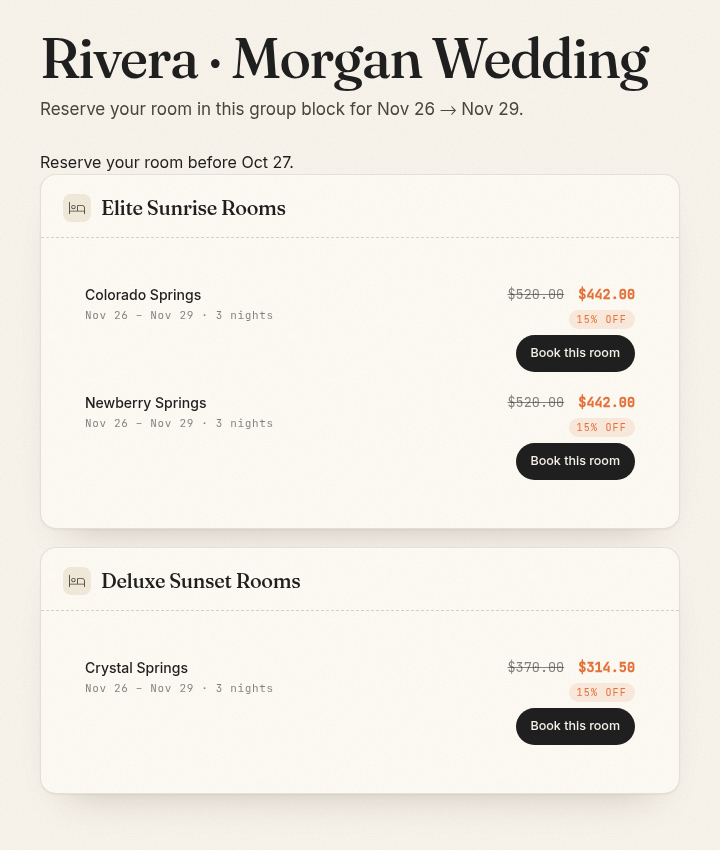
The guest page closes when the release date arrives, no held rooms remain, or staff revoke the link. A guest who already completed a reservation should use the normal confirmation lookup instead of returning to the group link.
Share the contact management link
- Find Contact management link on the group booking page.
- Select Copy link or Email management link.
- Tell the contact to keep the link private.
The contact page shows pickup, available rooms, guest names, and the informational coverage report. It does not let the contact change the block or open guest folios.
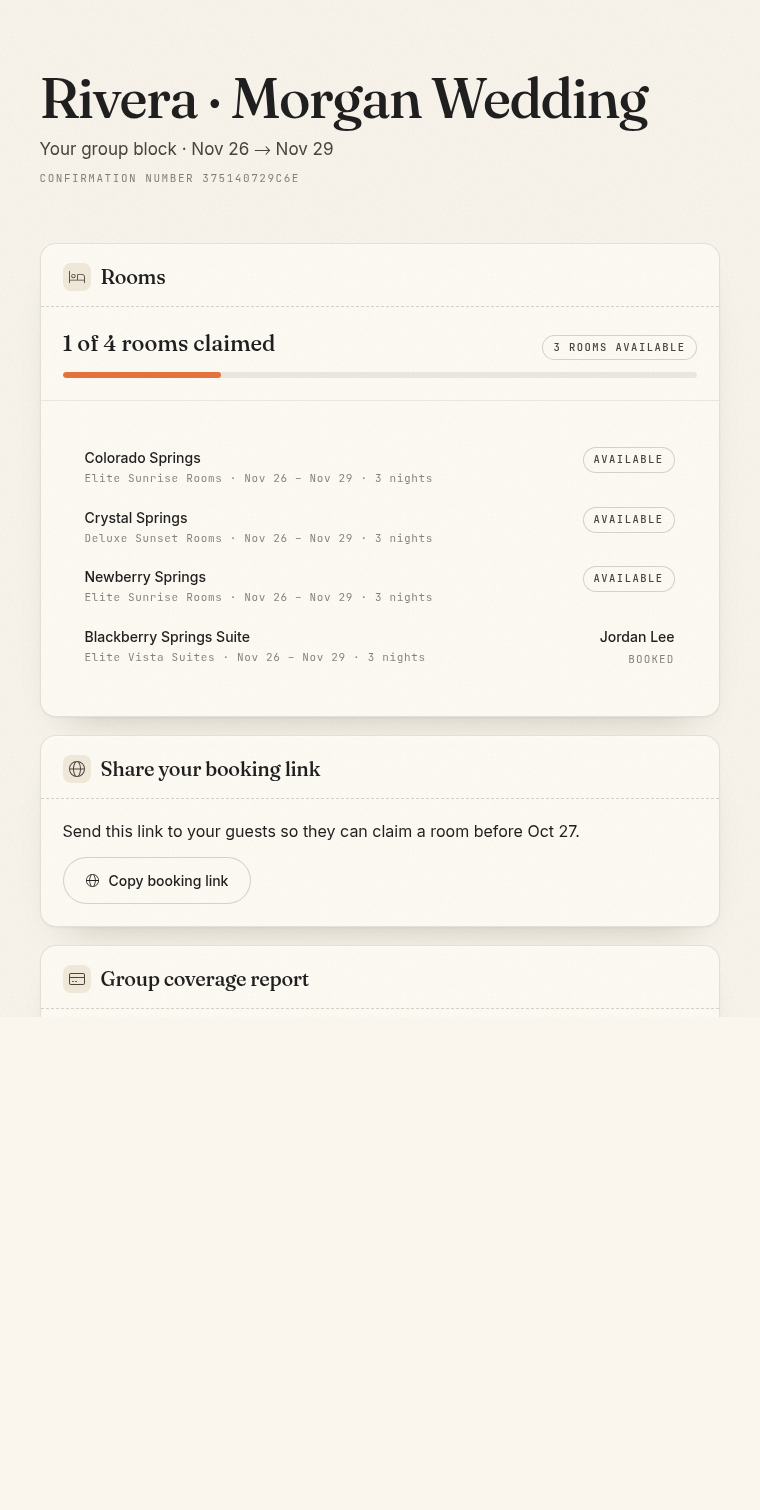
If the contact loses the link, they can use Find a booking with the group confirmation number and the main contact's last name or company name.
Rotate or revoke access
Use Rotate link when a link was shared with the wrong person. The old URL stops working immediately and a new URL is created.
Use Revoke link when access should stop without creating a replacement. You can create a new link later.
The guest and contact management links have separate controls. Changing one does not change the other.
Common problems
- The guest page says reservations are closed: Check the release date, held-room availability, and guest link status.
- The contact page says the link expired: Rotate or create the contact management link and send the current URL.
- A guest cannot find a completed reservation: Use the normal confirmation number and guest last name.
- A copied link opens the wrong property: Copy the current link again from the group booking page.